Ansible |
 |
Ansible is an IT automation tool. It can configure systems, deploy software, and orchestrate more advanced IT tasks such as continuous deployments or zero downtime rolling updates.Ansible’s main goals are simplicity and ease-of-use. It also has a strong focus on security and reliability, featuring a minimum of moving parts, usage of OpenSSH for transport (with other transports and pull modes as alternatives), and a language that is designed around auditability by humans–even those not familiar with the program.We believe simplicity is relevant to all sizes of environments, so we design for busy users of all types: developers, sysadmins, release engineers, IT managers, and everyone in between. Ansible is appropriate for managing all environments, from small setups with a handful of instances to enterprise environments with many thousands of instances.Ansible manages machines in an agent-less manner. There is never a question of how to upgrade remote daemons or the problem of not being able to manage systems because daemons are uninstalled. Because OpenSSH is one of the most peer-reviewed open source components, security exposure is greatly reduced. Ansible is decentralized–it relies on your existing OS credentials to control access to remote machines. If needed, Ansible can easily connect with Kerberos, LDAP, and other centralized authentication management systems.Ansible Documentation Link: https://docs.ansible.com/ansible/latest/index.html
|
Ansible Tower |
 |
|
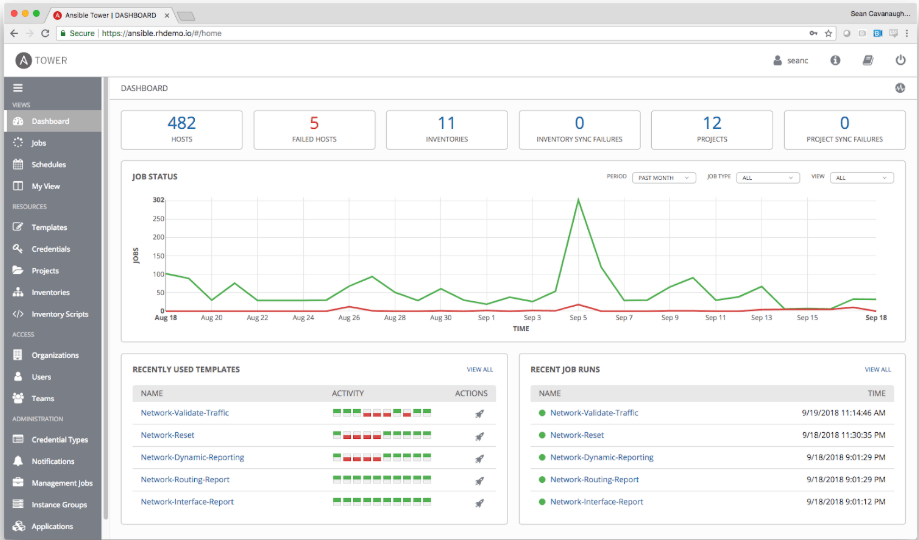
Ansible Tower is a commercial offering that helps teams manage complex multi-tier deployments by adding control, knowledge, and delegation to Ansible-powered environments.It is a Graphical Interface which provides a powerful graphical portal (WUI) for managing and orchestrating automation projects and Inventories in addition to securing the projects based on roles (RBAC).Ansible Tower Documentation Link: https://docs.ansible.com/ansible-tower/latest/html/release-notes/index.html
|
Admin Section |
Installation |
- Ansible Engine Installation- Ansible Engine Installation Inventory- Ansible Tower Installation- Ansible Tower Cluster Installation- Ansible Tower Cluster Installation Inventory- Uninstall Ansible Tower
|
Administration |
- Preparing Nodes- Using the Tower CLI Tool- Launching a Job Template via the API- Launching a Job Template using tower-cli- Changing the Tower Admin Password- Creating a Tower Admin from the command line- Setting up a jump host to use with Tower- Locate and configure the Ansible config file- View a listing of all ansible_ variables- Configuring the tower hostname for notifications- Launching Jobs with Curl- Dynamic Inventory and private IP addresses- Filtering instances returned by the dynamic inventory sources in Tower- Using an unreleased module from Ansible source with Tower- Using callback plugins with Tower- Importing existing inventory files and host/group vars into Tower |
Troubleshooting |
- Error Logs- Problems connecting to your host- Unable to login to Tower via HTTP- WebSockets port for live events not working- Problems running a playbook- Problems when running a job- Playbooks aren’t showing up in the “Job Template” drop-down- Playbook stays in pending- Cancel a Tower job- Reusing an external database causes installations to fail- Private EC2 VPC Instances in Tower Inventory- Troubleshooting “Error: provided hosts list is empty”
|
User Section |
Commands |
- Inventory- Playbook- Executing Ad-hoc Commands- Executing Playbooks- Error Handling
|
Modules |
- More Frequent use Modules - In usage group order- More Frequent use Modules - In alphabet order
|
Tower Projects |
- Building a Project- Running a Project
|
Online Tools |
- Playbook Generator
|